|
|
 |
 |
|
 |
 |
 |
 |
Fusion® 4 is the only full-featured digital media pipeline language that also takes advantage of the most advanced node-based
compositing engine.
Fusion’s pipeline management, fully-interconnected native toolset, ultimate speed and flexibility make profitable film effects
realistic for even the smallest facility.
Fusion is an industry-leading digital compositing application well known for its prominent role in contemporary film effects. Our
clients have tapped into the benefits of eyeon's dedication to digital compositing expressed through an independent corporate environment and
belief in the input from Fusion's vast and dynamic community. Not only do our clients profit from the compositing engine that is the core
of eyeon’s success, they also tap into the pipeline control and project management capabilities provided by our full-featured pipeline
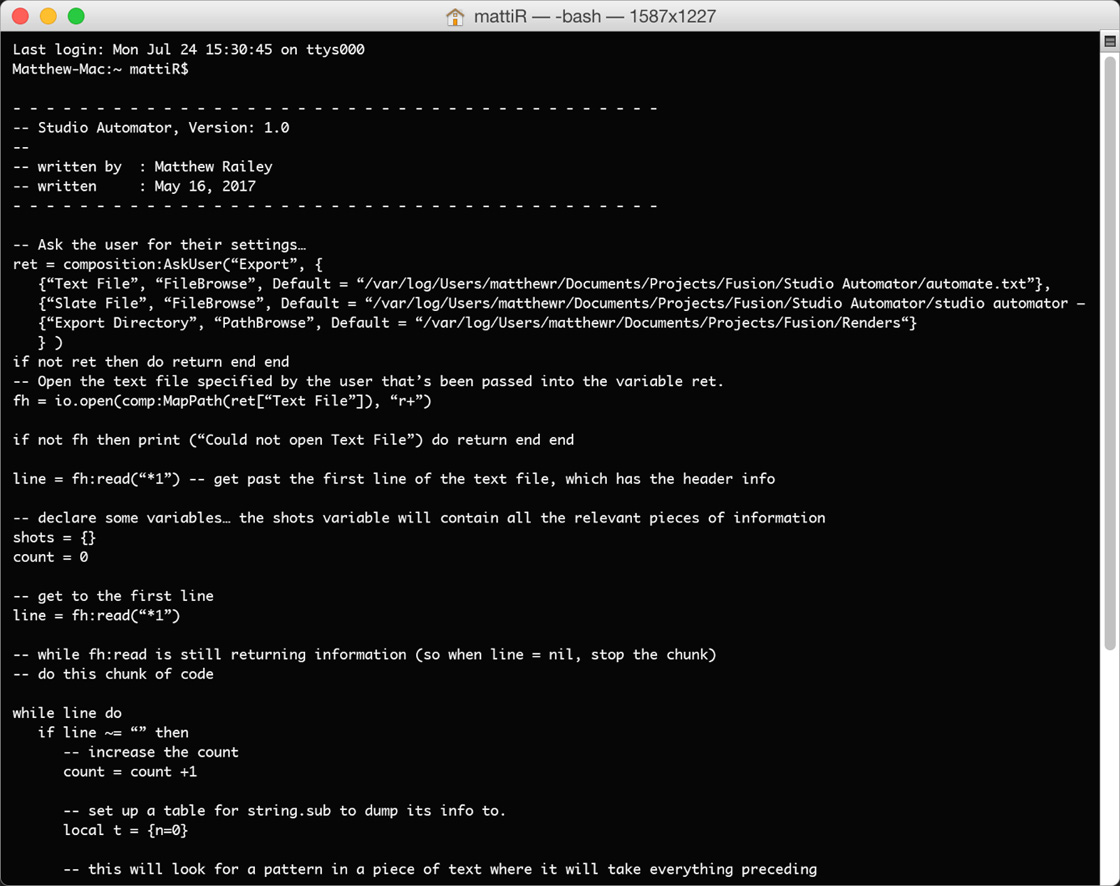
language, DFScript. The versatility offered by Scripting is a necessity for facilities with complicated shot management needs, shifting
artists or multiple projects. DFScript applications range from consistent and automated effects treatments to render control, and will
greatly change the way in which one views digital compositing.
Accessing the power of Fusion's pipeline management language will change the way you think about compositing. A few of the practical
applications of DFScript are briefly outlined below, but the possibilities are truly endless.
- Prep dailies on your DDR complete with shot TC burn-in
- Automatic client ftp of completed shots
- Cataloguing content into multimedia versions with element/shot burn in
- Managing footage and elements between local and network drives
- Automated proxy version creation
- Clean up/archive of unused footage and elements
- Managed versioning of timeline data
- Remote artist assistance - Generating web friendly versions of projects for web distribution
- Monitoring shot status by determining which shots have been rendered and completed
- Email or even call your mobile phone when a render completes
|
 |
Fusion® 4 is eyeon’s flagship product and marks the ninth major release of this powerful compositor,
heralding a new image engine and raising the bar on performance levels and memory efficiency. Now, with DF4,
process in 8 bit, 16 bit and floating point per pixel. Time-based caching gives realtime playback as
compositions are created.
Legendary performance will now be scaled over the network via eyeon’s revolutionary clustering technology.
Fusion’s network rendering has always been advanced, more than any other batch-based renderer. With DF4’s new
Power Cluster, you can efficiently network multiple machines into a superior working environment. By clustering
the network render farm, the network continuously renders the sequence up to date.
Time to take a fresh look at why feature films, motion graphics, broadcast design, and television and video
post-production get landmark finishing with Fusion.
Questions? For more information on Fusion including pricing and promotions please contact our Sales team at sales@eyeonline.com
|
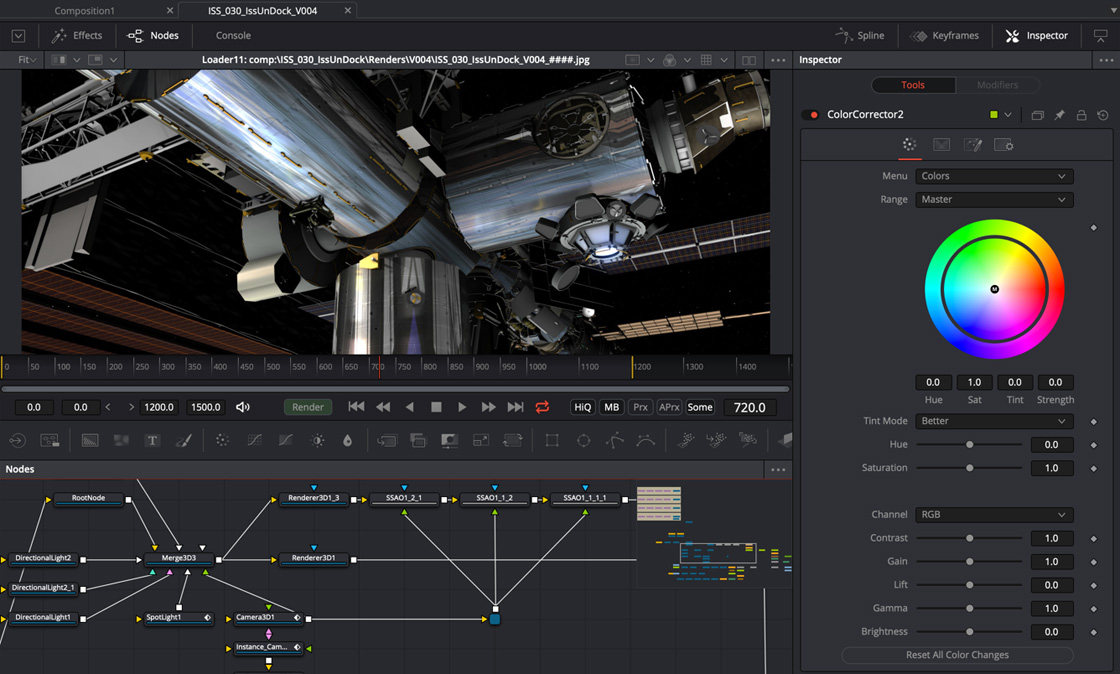
Flow | Timeline | Spline Editor
Traditionally, Fusion has been used by a variety of production houses worldwide because of its diverse work
flow. Depending on how compositors like to work, Fusion offers compatible methodologies.
The new engine has greatly enhanced each working environment, with specific development for real world
application. Fusion artists have worked together with eyeon developers to bring each favored methodology
comprehensive functionality.
Flow
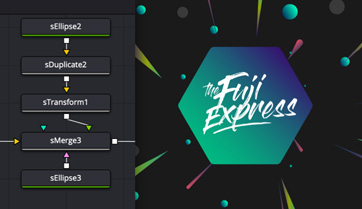
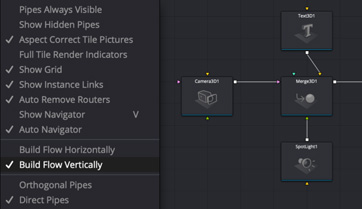
· Intuitive node-based flow representation.
· Easy branching of image processing.
· Open and work with multiple flows at once.
· Copy and paste tools within a flow.
· Copy and paste tools into other flows.
· Thumbnail tile images progress through flow.
· Group and collapse tools into sub-flow for better organization.
· Drag and drop footage into flow directly from file explorer.
· Add notes to any tool as reminders or to assist with collaboration.
· View and edit your project in frames, timecode or feet+frames modes.
Timeline
· Non-linear timeline display for precise timing adjustments.
· Trim and position multiple clips simultaneously.
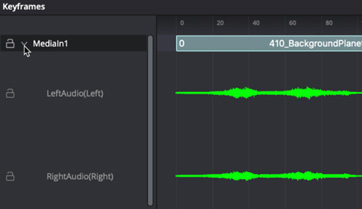
· Scrub audio and view waveform within timeline.
· Apply timeline filters to show elements of flow.
· Set guides, markers and snap to points.
· View and edit animation splines within timeline.
· Enable spreadsheet-like display of animation parameters.
Spline Editor
· Display and edit multiple animation splines.
· Scale, shape and time stretch animation splines.
· Advanced looping options for ping-pong, relative and ‘x’ times.
· Set guides, markers and snap-to points.
· Enable display of keyframe markers as guides.
· Step-in and step-out keyframe stepping modes.
· Import and export to flexible array of text formats.
· Choose from Bezier or cubic splines for animation curves.
· Manually enter time value offsets and scaling for multiple selected keyframes.
|
 |
|
|
 |
Performance | Disk & Ram Caching Engine | Floating Point Processing | Macro Tools | Display
Concatenated Transformations | Color Depth Independent | Resolution Independent
Performance
Performance is everything. While most effects companies only ever work at a maximum 2k resolution,
Frantic Films composited Swordfish’s acclaimed 550 layered opening sequence effects extravaganza at 6K
and delivered it at 4k for film out. Boyd Shermis, VFX Designer and Supervisor for Swordfish, posted a
phenomenal endorsement of Fusion on one of the product’s most prominent user groups, Pigsfly.com.
“I’d like to make mention of the fact that our good friends at Frantic Films, with generous assistance from
eyeon Software, have literally ‘assembled’ one of the most stunning action-stunt shots ever filmed
(and generated) for the film called Swordfish. Suffice it to say that it’s by far and away the most difficult
shot I’ve ever designed and executed. It has more elements and tools in the base flow than anything ever seen.”
· Completely multi-threaded to take full advantage of multiprocessor systems, with 100% performance boost per each CPU.
· Enhanced file streaming I/O greatly improves time to load images and sequences from disk, both over network and local drives.
· Render and interactive performance scalable with remote nodes.
· Automatic memory tuning to ensure most efficient use of memory.
· Designed to work efficiently with extremely large files, including 6K and larger.
Disk & RAM Caching Engine
Fusion provides a high degree of interactive and playback performance through the use of a
powerful multiple tool memory (RAM) cache. This cache stores processed images from active tools in memory,
ready for immediate playback and processing.
· Enables playback speeds of well over 30fps.
· Makes most efficient possible use of RAM.
· Cache manager work invisibly in background - no user intervention required.
· Multiple tools can simultaneously maintain their own cache.
· Images already in cache do not re-render.
· Cache the results of any node to disk as well as/instead of RAM.
Floating Point Processing
Floating point processing of color depth increases the accuracy of color correction and processing well
beyond even 16 bit per channel - perfect for processing film.
· Out of range color values are preserved through color adjustments.
· All tools support floating point mode natively, never worry about clipping highlights.
Macro Tools
· Create your own custom re-usable and distributable ‘macro’ tools by combining several standard tools together.
· Select which controls and inputs are visible from each tool.
· Rename controls to suit the macro tool’s purpose.
· Set new defaults and control ranges for each control.
· Produce powerful macros to simplify common tasks.
Display
· Switch between a single large image display layout or side by side displays.
· Open unlimited floating display views.
· Neutral color scheme won’t interfere with color correction operations.
· Independent color LUT’s for each view compensate for color variations in monitors, or between VGA, video and film displays.
Concatenated Transformations
· Wherever possible, Fusion will combine multiple transformations together before applying to the layer, collecting transformations from adjacent tools and applying the entire transformation in a single pass.
· Significantly reduces processing time.
· Improve sharpness of resulting image.
· Allows elements moved offscreen to avoid clipping.
Color Depth Independent
· Footage of different color depths can be loaded and processed in their native color depth within a single flow, making the most efficient use of memory and processor resources.
· Seamlessly blend floating point, 64 bit and 32 bit images without concern.
Resolution Independent
· Mix and match footage of different resolutions, field orders, aspect ratios and formats within a single project.
· Render to multiple formats and resolutions in a single pass, with multiple saver nodes at any position in the flow process.
|
 |
|
|
 |
Paint | Text+ | Tracking | Particles | Color Correction | Keying / Matte Tools | Network Rendering
Scripting | Grid Warping
Paint
Vector-based paint system for retouching, beauty work, and rig, wire and scratch removal. Use strokes and
shapes to paint non-destructively on images. Combine with on-the-fly caching for amazing interactive
performance.
· Individual strokes can be moved, edited, animated and tracked.
· Use standard geometric shapes or custom images for brush shape.
· Supports standard pressure-sensitive tablets; brushes can vary by stroke pressure or velocity.
· Infinitely scalable brushes with extremely fine softness control.
· Paint matte, effects or garbage masks directly on the image.
· Instant scrub and playback of painted frames through advanced caching.
· Advanced cloning supports animation, onion skinning, copy and paste modes.
· Flood fill for magic wand-style operations that actually work over time.
· Group and collapse multiple vector-based strokes for easy manipulation.
· Bezier and stroke wire removal tools for fast and flexible removal of rigging and other undesirable elements.
Text+
Fusion’s advanced character generator is up to the most demanding and intense broadcast or
film titling requirements. Extensive support for international alphabets allow the use of this titler
with any language. Complete control over every parameter of a font’s color, size, kerning and layout means
never having to compromise on the design.
· Use any TrueType or PS1 type font.
· Layout text along spline paths, to a frame, or circle.
· Align text to frame, image or path, including horizontal and vertical justification.
· Manually adjust the kerning and position of every character.
· Mix and match fonts, colors, size and texture in a single tool.
· Layer different rendering styles and finishes using multiple fill, outline and text borders.
· Use modifiers like Scramble, Timecode, and Follower.
· Animate ‘type on’ effects, rolls and crawls in seconds.
· Transform layout, characters, words and shading elements separately.
· Fills and outlines have individual shading, softness and glow.
· Map images and sequences onto text with a variety of mapping styles.
· Full Unicode support for international and extended character sets.
· Store commonly-used styles in library swatches for future use.
· Transform text in 3D, with independent DVE’s for the layout, character, shading components.
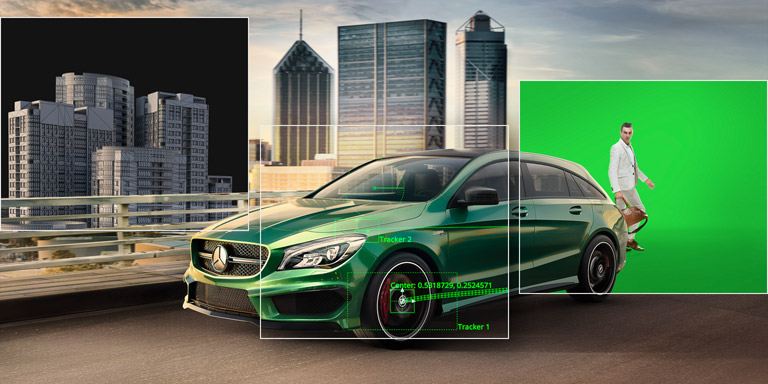
Tracking
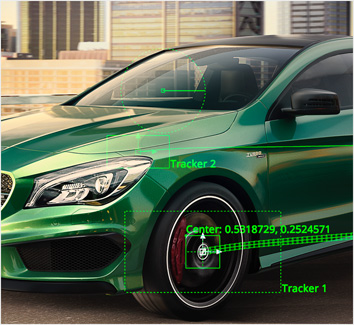
The tracker is completely redesigned for the current version, with streamlined interface and enhanced functionality.
· High sub pixel precision.
· Unlimited tracking points within a single tracker.
· Adaptive pattern acquisition.
· Patterns that leave the frame are automatically blended out of the solution.
· Track paths both forward and backward in time as required.
· Stabilization based on an unlimited number of track points.
· Smooth and stabilize camera motion without eliminating existing pan or zoom.
· Real time visualization of pattern, including reliability and validity of track over time.
· Automatic selection of best tracking channel, red, green, blue, alpha or luminance.
· Choose a manual rotation axis for stabilization or use either ‘tracker averaged’ or ‘selected tracker’ modes for fine control over stabilization and match move operations.
· Drive the animation of any parameter, path or tool with tracked data.
· Publish and connect individual points on a polyline.
· Integrated corner positioning, perspective correction, stabilization, and match moving, all within a single tool.
Particles
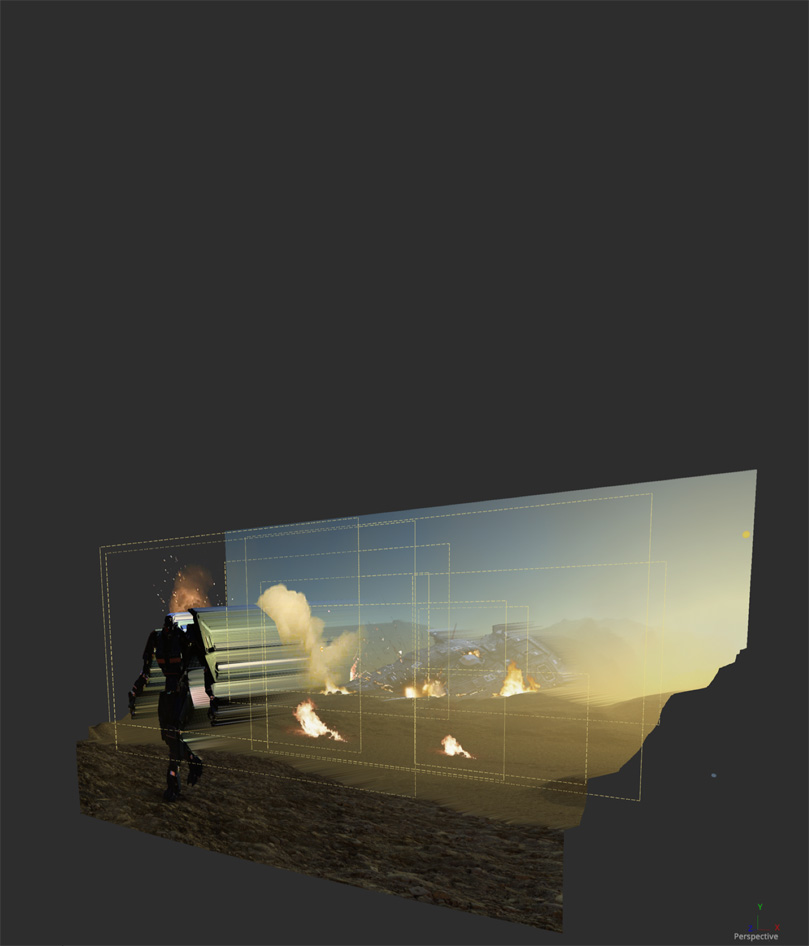
This completely 3D flow-based particle suite supports unlimited particle streams in a resolution independent
and network renderable environment. Perfect for simulating smoke, fire, water, star fields, nebulae and so
much more.
· Bitmap, geometric or pixel based particle styles for ultimate flexibility.
· All particle systems are network renderable to slash render times.
· Apply motion blur to all particle streams.
· A variety of predefined particle styles and brushes.
· Merge separate particle streams together with pMerge tool.
· Variable control over spin, size, velocity, angle, spin, fade, blur and color over time.
· Animate any particle parameter over time.
· Modify particle behavior with physics-based tools like gravitational, wind, friction, tangential, point and gradient forces.
· Control modifier tools with effectors and force emitters, based on bitmaps, shapes or polylines.
· Advanced behavioral controls like flocking, turbulence, spawning and n-body attraction.
· Modify particle attributes with custom expressions.
· Produce depth of field blurring on particles based on Z-position.
· Output Z-buffer position for each particle, and depth blur particles together.
· Change particle styles based on collision and other ‘events’.
· New N-GON particle style provides a variety of shaded geometric shapes for particles.
· Image Emitter tool turns each pixel of an image into a particle. Each particle is correctly placed within 3D space according to a controlling Z-depth channel or map.
Color Correction
The new color corrector has been widely acclaimed for traditional color manipulation and offers ease-of-design
functionality.
· Adjust hue, saturation, tinting, gamma, gain, contrast, brightness for any color channel or luminance range.
· Manipulate levels and image histogram directly.
· Separate color correction by channel or region, or use masks to restrict effect.
· User definable ranges for shadows, midtones and highlights.
· Rotate image hue to correct image errors or apply dramatic effect.
· Color match to a reference image.
· Snapshot and freeze image histograms for stable, flicker-free color matching between plates.
· Suppress a specified color or colors from the image.
· Spline-based Color Curves tool allows look-up-table color correction for infinite flexibility.
· Work in RGB, YUV, CMY and other color spaces using the Color Space tool.
· Use logarithmic images like Cineon and DPT without first converting them to linear space.
· A/B split wipe allows simultaneous display of separate images for quick comparisons.
· Channel Booleans to copy and blend image channels based on add, subtract, multiply and other mathematical operations. Includes support for operations on auxiliary channels like
· Z-buffer, and uv mapping co-ordinates.
Keying / Matte Tools
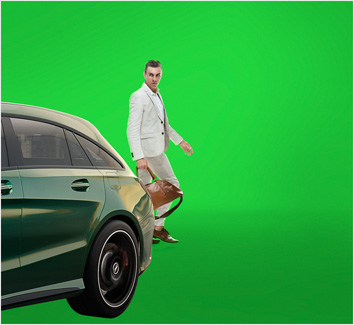
If the blue/green screen shots done on set were always perfect, you wouldn’t need tools to fix them. But
they aren’t. So harness the power of fringe color correction, thresholding and spill suppression to make
the shot perfect in the end. Throw in some Garbage Mattes to remove the microphones, rigging or food wrappers
left on set, or simply fix that stray hair caught in the light.
· Five unique and powerful keyers are provided to extract mattes.
· Ultra Keyer is especially optimized for high quality Blue and Green screen extraction.
· Chroma Keyer is a general purpose keyer for extracting a matte from image chroma or color channels, with soft range control.
· Five modes of spill suppression to eliminate even the most difficult reflection halos.
· Animated garbage mattes for isolating rigging and set elements.
· Adjustable edge gamma and fringe color correction.
· Matte thresholding for semi-transparent region replacement.
· Matte blur, gamma, and contrast control for post key processing of the matte.
· Advanced color selection includes a more varied range than traditional ‘select’ and ‘soften’ style keyers.
Network Rendering
Available through the DF Render Node, Fusion’s unique distributed network rendering allows scaled
processing of final renders, as well as interactive workflow - a feature unavailable in any other desktop compositor.
Network rendered previews, tool caches and tool clusters speed the entire production process from start to finish.
· Powerful render manager with redesigned interface for maximum efficiency.
· Render Fusion flows on remote systems using non-interactive render node or full Fusion licenses.
· Assign remote nodes to render groups and submit flow to only specified groups.
· Assign priorities to a submitted render to help resolve conflicts in busy environments.
· Flipbook previews can be rendered over the network directly to the local workstation’s RAM.
· Disk and Ram caches can also render over the network, leaving the local workstation free to continue working on the current flow.
· Power Cluster predictively renders the frames around current time during an interactive session using the remote nodes.
· A network master can also participate in the render.
· Any copy of Fusion or the DF Render Node acts as render manager.
· Save and load different node configurations.
· Basic/verbose logging modes for determining billing costs or troubleshooting network problems.
· Select the range of frames to be rendered for each flow in the queue, without the need to modify or open the saved flow.
· Set node to accept flows from the network or set the node to render its own queue locally.
· Masters automatically detect a node that has gone offline or has stopped responding to any commands, and will gracefully take the affected node out of the queue.
· Nodes that become available after a render has begun automatically rejoin the queue.
· Frames previously assigned to a node but marked as incomplete are reassigned to other nodes.
· User configurable timeouts can be used to detect nodes that are still functioning but have failed to complete a given frame within a reasonable length of time.
· The render master displays the status of each node; busy, available, offline as well as currently installed version.
Scripting
· DF4’s new text-based scripting allows complete control over Fusion tools, parameters and animation, bringing better integration into the production pipeline.
· Useful pre-built scripts to automate tedious workflow issues or create your own.
· Run scripts from within the interface or directly from the command line.
· Use dfscript.exe program to execute scripts on local or remote copies of Fusion and nodes.
· Create per-tool scripts that execute each frame or at the start and end of each render.
· Simple but powerful language is easy to learn without sacrificing function.
· Use ‘runcommand’ tool, or built-in scripting, to launch and control external tools from within Fusion.
Grid Warping
· Perform grid-based image deformations over an entire image or a specified region.
· Define separate source and destination grids to apply mapping coordinates.
· Complete bezier and smoothing control over each grid point.
· Source and grid shapes can be independently animated over time.
· Magnet or static selection types for easy manipulation of multiple grid points.
|
 |
|
|
 |
Audio | Depth Channel and RPF Support | Loaders and Footage | File Input and Output | Plug-in Support
Masks and Paths | Layers | Image Filters | Image Warping | Image Transformation | Time Warping
Background and Gradient Generators | Grain | Noise Generators | General
Audio
· Load and save scratch track audio for timing and playback.
· Playback audio with RAM previews and caches.
· Scrub audio in timeline, and set guide and beat markers in spline and timeline.
· View audio waveform in timeline.
· Supports common audio formats and dpsReality DVA audio files.
Depth Channel and RPF Support
Use the extra channels of information produced by some animation programs to enhance the look of 3D
rendered material.
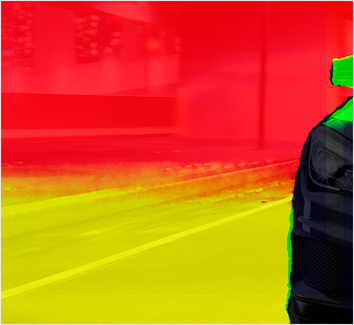
· Depth merging combines two images based on the relative position of their pixels, eliminating the concept of foreground and background.
· 3D Z -Depth Blur for true depth of field focussing, animatable focal point selected from Z-buffer.
· 3D Shader for relighting object based on the information contained in the normals channel.
· 3D Fog applies fog to an image based on depth of each pixel, or an external z-buffer map.
· 3D Texture to apply reflection maps and replacement textures to 3D rendered objects.
· Use object and material ID’s to mask the effect of any tool.
· Use the above tools and techniques with particles and grid warping tools in Fusion, which also produce extra channel information.
Loaders and Footage
· 3:2 Pull Down and Pull Up with automatic sequence detection.
· Process fields/frames in NTSC, PAL or HD field orders, control over dominance or field order.
· Load images in any one of over 35 supported file formats, including OMF, PSD, CIN and DPX.
· Automatic detection of formats for files which are misnamed, or lack extensions.
· Create clip lists containing multiple files within a single loader.
· Load and process common IFL (image file list) formats.
· Playback sequences from disk without creating a preview or rendering.
· Assign keycode values to any loader for easier reference to physical film frames.
· Load full resolution and proxy clips together, toggling between modes on the fly.
File Input and Output
· Supports most professional video I/O devices from Newtek, Leitch/DPS, DVS, Matrox, etc.
· Read directly from SCSI DLT and Exabyte-style tape devices, including support for Unix TAR compression formats.
· Import EDL files to rapidly assemble flows.
· Import OMF files with or without media.
Plug-in Support
· Load most third-party plug-ins through plug-in adapter architecture.
· Wide range of native third-party plug-ins from well known vendors, including 5D, Ultimate, Primatte, Re:Vision and fusioneers.
Masks and Paths
· Use masks to limit the effect of any tool to a specified region.
· Create masks using bezier polylines, shapes or bitmaps or paint masks directly.
· Magic wand-type mask performs color picking over time.
· Apply any number of effects masks to any image tool or filter.
· Re-order, copy, paste and cut masks.
· Connect masks to each other.
· Export polyline masks and paths to flexible ASCII text format.
Layers
· Choose between additive and subtractive merge modes.
· Perform Z-depth compositing.
· Use standard layer combine options, like screen, overlay, maximum, and soft light.
· Apply ‘burn in’ overexposure to foreground layer.
· Dissolve between layers with standard SMPTE wipes and gradients, or use custom bitmaps to control the dissolve.
Image Filters
· Constant speed gaussian blur.
· Lightning fast resizes with nine different filtering options.
· Lens-type defocusing with blooming and NGon elements.
· Lens flare-style hotspots with occlusion and lens abberations.
· Glow, soft glow, glow under and glow thresholding modes.
· Pre-masks for glow, highlight, dve and other tools.
· Directional blurs for motion and zoom style blurring.
· Erode and dilate filters for burn in and overexposure effects.
· Sharpen and unsharpen masking.
· Sobel and laplacian edge detection.
· Custom 3x3, 5x5 or 7x7 convolution kernel filtering.
Image Warping
· Choose from one of eight drip deformations with control over amplitude, aspect, frequency and aspect.
· Apply displacements, dents, and vortexes to any image.
· True perspective positioning and correction.
· Corner positioning to tools for sign replacement and four point scaling.
· 2D grid deformation for simple and complex mesh manipulation and basic morphing.
· Trails tool simulates 1970’s image feedback generator hardware.
Image Transformation
· Scale, resize, and transform images with complete control over image and pixel aspect.
· High-quality area sampling ensures excellent anti-aliasing and minimum blurring with transformation.
· Concatenated transformations speed operations and improve quality.
· Letterbox conversion of image.
· Easy to use ‘pan and scan’ tool.
Time Warping
· Time speed tools for frame delays and linear time scaling of clip timing.
· Spline-based non-linear time stretcher for interpolated ramping up and down of clip speed.
· Animatable frame interpolation and blending for smoother motion.
· Speed changes are applied as part of flow, not restricted to footage loading, or as a post-render process.
Background and Gradient Generators
· Background generator for solid and gradient type backgrounds.
· Generate gradients calculated in RGB, HLS, HSV or LAB color space.
· Unlimited gradient color points for fine control over gradient progression.
· Animate gradient procession over time.
· Select from one of six gradient types including linear, radial and square.
· Static, repeat and ping pong modes for out of bounds gradients.
Grain
· Adjustable grain strength, size, softness and spacing.
· Response curves control amount of grain across a gradient for each color channel to closely match film stock grain behavior.
· Color differences between grain channels help match non-monochromatic-type grains.
· Choose between random or seeded grain noise for repeatable and static noise types.
Noise Generators
· Mandelbrot generator produces extremely scalable fractal images.
· Fast Noise tool implements extremely quick, high-quality noise.
· Continuous and discontinuous noise options.
· Noise detail and noise brightness maps for precision control over noise generation.
· Gradient color mapping for multi-color noise generation.
· Infinite panning and scaling of noise images.
· Plasma generator for frequency interference based noise patterns.
General
· Apply calculated motion blur to any tool with animation applied.
· Create and play RAM-based flipbook previews.
· Render non-sequential frame ranges.
· Render only every xth frame (e.g. 1, 3, 5, 7) and replay at proper speed.
· Two-level proxy system for extremely fast interactive response while manipulating controls or working with large images.
· Color wheel selector for all color controls.
· Save settings and load custom tool settings as a new default, or for later use.
· Context-sensitive menus provide rapid access to advanced features.
Questions? For more information on Fusion including pricing and promotions please contact our Sales team at sales@eyeonline.com
|
 |
|
|
 |
|
 |
 |
 |
|
 |
|